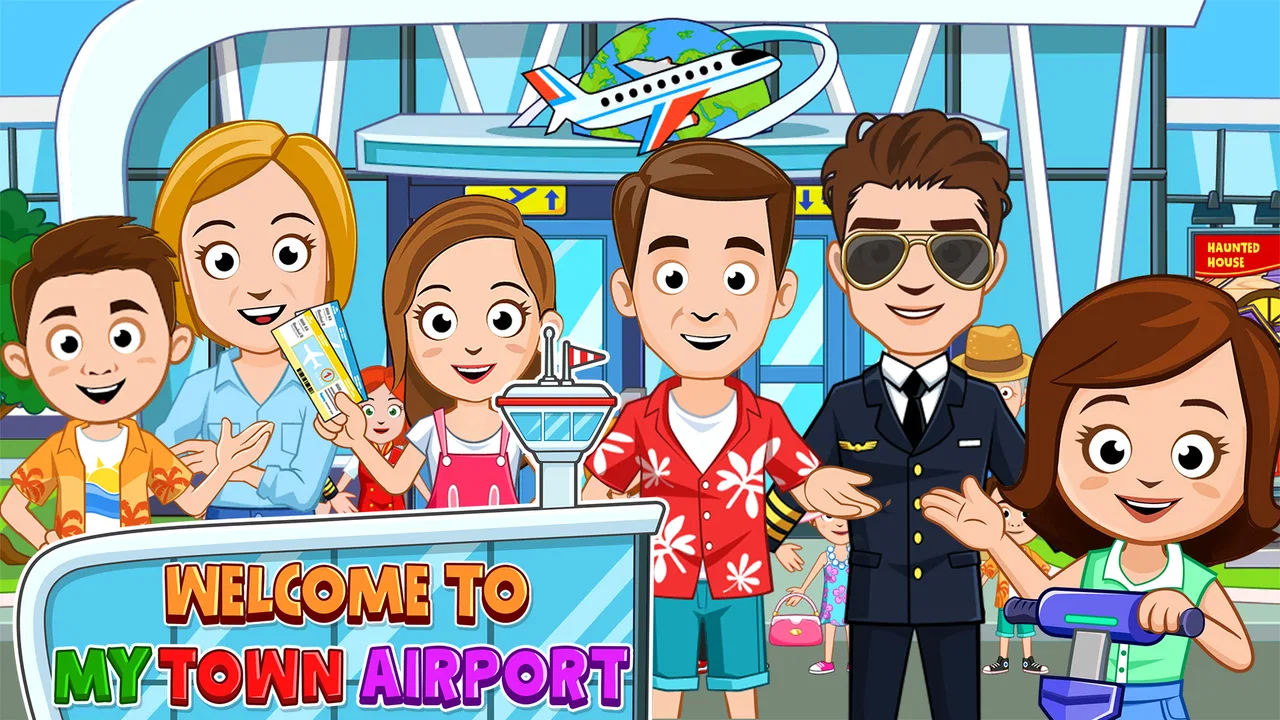
My Town : Airport
- 4.2
- Rating
- 50.00K
- Installs
- $4.49
- Price

 Analysis by App-foxy
My Town : Airport is the kind of educational game I would hand to a child who enjoys making up stories more than following a fixed mission. I spent time treating it less like a traditional airport simulator and more like a digital pretend-play set: the appeal comes from moving between travel-themed scenes, arranging characters, and inventing what happens before, during, and after a flight. That difference matters, because this is not really about mastering aviation procedures or completing a demanding challenge. It is about creative play built around the familiar excitement of going to an airport.
Developed by My Town Games Ltd, the game is aimed at Everyone and costs $4.49. It has reached over 50 thousand installs and holds a 4.2 average from around 1.1 thousand ratings, which gives a useful picture of its position: it is established enough to have attracted a real audience, but it is still a fairly focused experience rather than one of the enormous mainstream mobile games. The current version is 7.03.06, and the game runs on Android 8.0 or later.
How the airport setting works in everyday play
The first thing I noticed is that the airport theme gives children an easy starting point. They already understand many of the basic ideas: packing, arriving at a terminal, checking in, waiting, boarding, and travelling. That familiarity makes it simple to begin a story without needing a tutorial-heavy explanation. A child can decide who is travelling, who is working, and what kind of trip is taking place, then use the airport environment as a stage for that story.
You May Also Like

 AccuWeather: Weather Radar
AccuWeather Review: A Quick, Clear Forecast for Everyday Decisions
For everyday plans, the best forecast is the one you can understand quickly. AccuWeather makes rain timing, radar, and local conditions easy to act on, with a few trade-offs.

 Hill Climb Racing
Why Hill Climb Racing Still Turns Crashes Into One More Run
A tiny car, a bumpy hill and one more upgrade: Hill Climb Racing keeps resurfacing because its simple chaos makes every near-miss feel personal.

 AliExpress - Shopping App
AliExpress Makes Global Shopping Feel Personal, but Shoppers Bear the Risk
AliExpress turns a global marketplace into a pocket-sized discovery engine. Its reach is useful, its shopping loop compelling, and its trade-offs easy to miss.

 Lords Mobile: Kingdom Wars
Lords Mobile Is a Kingdom-Building Routine, Not a Quick Match
A case-by-case verdict on the building, battles, device demands, and social commitments that make Lords Mobile rewarding for some players and exhausting for others.

 PDF Scanner app - TapScanner
TapScanner Makes Paperwork Easier to Capture, Check, and Share
TapScanner makes scanning with a phone feel less like a rescue operation and more like a dependable step in getting work done. Its capture tools are useful, though not flawless.

 Block Blast!
 Shows How Much a Puzzle Game Can Leave Out
A quiet grid game shows why puzzle players increasingly value instant clarity, repeatable skill and low-pressure play—and where the genre still needs to catch up.
More From Our News Desk
View All News


That open-ended approach is the game's main strength. Instead of asking me to earn points by tapping the correct answer, it encourages me to create a sequence of events. One session might involve a family rushing to catch a flight, while another might turn the same setting into a calm holiday departure. The child is in control of the tone and pace, which makes the game feel closer to role-play with toys than to a conventional educational quiz.
I also found that the airport theme supports several kinds of play at once. A child interested in people can focus on passengers and their relationships. Someone fascinated by travel can concentrate on the journey itself. Another player may prefer organising the scene, moving characters around, and deciding where each part of the story should happen. The setting is specific enough to feel interesting, but broad enough to support repeated rearrangement.
Parents should understand the word “educational” in the right way here. The learning value is mostly social, imaginative, and practical rather than academic. Children can practise sequencing events, using everyday travel vocabulary, expressing emotions, and thinking through simple situations such as being late, waiting, helping someone, or preparing for a trip. I would not choose it as a replacement for a structured language, maths, or reading app.
A useful play routine for younger children
In my experience, the game works better when an adult gives the child a small prompt instead of simply handing over the device. Asking “Who is travelling today?” or “What happens if someone forgets a bag?” creates a reason to explore the airport. After the child has played, asking them to explain the journey in order can turn free play into a gentle storytelling exercise without making it feel like homework.
One particularly effective routine is to use three stages: preparation, the airport visit, and the imagined trip. The child can first decide what each character needs, then act out the airport scene, and finally describe where everyone is going. This makes the game useful during a quiet afternoon or while a family is preparing for a real journey. It also gives parents a way to observe whether the child understands sequence and cause without interrupting the play too often.
For a child who becomes frustrated by losing, the open format is reassuring. There is no pressure to protect a score or repeat a failed level. If a story becomes confusing, the player can simply move the characters and start again. That freedom is valuable for younger children, although it may feel too loose for children who need clear goals to stay interested.
What has changed in the current version
The current version, 7.03.06, shows that this is an actively maintained part of the My Town catalogue rather than an abandoned one-off release. The original release was on February 21, 2018, so the product has had a long life compared with many small mobile games. That history is worth considering when judging it: the present experience belongs to a series that has continued to evolve, not simply to the form it had at launch.
I would still separate that verified version history from assumptions about what changed inside each update. A version number by itself does not prove that a particular feature, scene, or character was added in a specific release. What I can say with confidence is that the current build is the one prospective players should evaluate, and that its continued availability suggests the game remains relevant to families looking for this style of play.
For existing users, the practical benefit of a newer build is that they are using the current form of the game rather than an old launch version. That matters when a family returns after a long break, especially if the child remembers the general idea but not the exact way the game feels now. I recommend opening the game together after updating and letting the child rediscover the airport rather than assuming that an old routine will be exactly the same.
The long-running nature of the title also affects expectations. It is not sensible to approach it like a brand-new game designed around the latest mobile trends. Its identity is tied to the My Town style of character-led, location-based pretend play. That consistency will please families who already like the series, while players searching for a highly competitive or technically ambitious experience may find it modest.
Where it fits among other children’s games
Compared with a standard educational app, this game gives the child more control and less instruction. A phonics app may be better when the goal is practising sounds, and a maths game will usually offer clearer progression and measurable exercises. My Town : Airport is stronger when the goal is to encourage conversation, imagination, and role-play around a familiar real-world place.
Compared with a traditional airport simulator, it is much more approachable. A simulator normally asks the player to manage systems, follow procedures, or understand technical controls. Here, the airport is mainly a setting for stories. That makes it suitable for younger players, but it also means an older child looking for realistic flight operations will probably prefer a dedicated simulation game.
It also differs from a video-based children’s app because the child is not only watching events unfold. The player has to make choices about characters and situations. That can encourage more active participation, particularly when a parent or sibling joins in. On the other hand, a child who wants instant entertainment with no imaginative effort may find the game slower than an animated show or an action-focused title.
The best use cases, and the less obvious trade-offs
I think the game is especially well suited to children who enjoy dollhouses, toy figures, travel stories, and pretend workplaces. It can also work well for siblings if they agree to share control and take turns directing the story. One child can choose the passengers while another decides what happens at the airport. That arrangement turns a single-device activity into a small cooperative exercise, although it requires adult help if one player tends to take over.
A less obvious use is preparing a child for a first airport visit. The game cannot replace a real explanation of security, documents, queues, or safety rules, but it can give a child a familiar narrative framework. Before travelling, I would use it to talk about why people arrive early, why waiting is part of the journey, and how different family members might feel. The benefit is emotional rehearsal rather than factual training.
Another useful approach is to use the game for language practice. An adult learning English with a child, or a parent encouraging a child to speak in complete sentences, can ask the player to describe each character’s action. “The passenger is waiting” is a simple example, but the same scene can support questions about time, feelings, responsibility, and destination. This works because the airport naturally supplies objects and actions to talk about.
There is also a trade-off between freedom and depth. A child can replay the setting in many ways, but the game does not necessarily provide the same sense of progression as a level-based title. If your child needs new targets, unlockable challenges, or a strong reward loop, the open-ended design may lose its appeal after the initial discovery. I would watch how the child plays during the first few sessions: repeated storytelling is a good sign, while aimless tapping suggests that a more guided game may be a better fit.
Friction points parents should consider
The price is another part of the decision. At $4.49, this is a paid game rather than something a family casually installs without thinking. I see that as potentially positive because the purchase frames it as a complete play experience, but the value depends on whether the child enjoys returning to the same airport setting. A child who prefers constant novelty may get more satisfaction from a broader collection of activities.
The game’s Everyone rating makes it accessible for family use, but an age rating does not tell a parent whether the style suits a particular child. Some children will immediately understand the pretend-play format; others will ask what they are supposed to do and lose interest without guidance. I would introduce it alongside a simple story prompt rather than judging it after a few minutes of unsupervised exploration.
Another limitation is that imaginative play can become repetitive when the adult does not add new ideas. The airport setting offers a strong foundation, but the child may keep repeating the same departure story. To extend its life, change the role each character plays, create a problem that needs solving, or ask the child to explain the journey from another passenger’s point of view. These small changes are more useful than expecting the game itself to provide endless structured content.
Device compatibility is straightforward for Android users with version 8.0 or later, but families using older hardware should check that requirement before planning around the game. I would also play the first session on the device the child will actually use, because the comfort of moving characters and viewing the scenes affects the experience more than it might in a simple quiz app.
Who should choose it and who should skip it
I would recommend My Town : Airport to parents looking for creative travel-themed role-play, especially when the child likes inventing dialogue and controlling several characters. It is a good choice for a quiet activity, a conversation starter, or a gentle way to make the idea of air travel feel less unfamiliar. The paid price is easier to justify when the game becomes part of a wider routine of storytelling rather than a one-time distraction.
I would be more cautious if the main goal is measurable school practice. For spelling, arithmetic, reading fluency, or a planned lesson sequence, a specialised educational app will be more effective. I would also skip it for a child who wants racing, competition, realistic aircraft controls, or constant objectives. The airport theme may attract that child initially, but the open-ended play model is not designed to satisfy those expectations.
Families already familiar with My Town Games Ltd will probably understand the design immediately. Newcomers should think of it as a digital playset with an airport theme, not as a complete travel-management game. That description sets a much more accurate expectation and helps explain why the experience can be rewarding without having complex systems.
My recommendation after using it
My overall view is positive, with a clear condition: the child has to enjoy making the fun themselves. The airport setting is approachable, the educational value comes naturally through storytelling and everyday situations, and the current build benefits from belonging to a title that has remained available since 2018. The 4.2 average from around 1.1 thousand ratings suggests that many players find the formula worthwhile, while the more than 50 thousand installs show that it has reached a meaningful family audience.
I would introduce it with a specific challenge, such as planning a family trip or helping a nervous passenger, then leave the child room to take the story in an unexpected direction. That approach reveals the game's strongest quality: it gives children a safe space to organise events, express ideas, and experiment with roles. It also exposes the main weakness quickly. If the child needs a defined objective every few minutes, the game may feel empty rather than liberating.
For me, this is a focused educational game rather than an all-purpose learning tool. Its value lies in imaginative practice, conversation, and familiarity with a recognisable travel environment. The right question is not whether it teaches everything about airports, but whether your child will use the airport to create stories. If the answer is yes, the purchase can become a useful and enjoyable part of family play. If the answer is no, a structured educational app or a genuine flight simulator will be a better match.
FAQs for My Town : Airport
01What is My Town: Airport about?
My Town: Airport is a family-friendly role-playing and pretend-play game where children can explore airport locations, create stories, and interact with different characters and objects. Players can check in passengers, visit waiting areas, explore aircraft-related scenes, and imagine trips using their own ideas. There is no fixed storyline, so the experience is focused on creativity, exploration, and open-ended play.
02Is My Town: Airport suitable for children?
The game is designed mainly for children who enjoy imaginative role-playing and interactive environments. Its colorful visuals, simple controls, and lack of complicated missions make it accessible to younger players, although parents should still review the age rating and available store information before downloading. As with many children’s games, adult guidance is recommended for purchases, advertisements, privacy settings, and overall screen-time management.
03Does My Town: Airport require an internet connection?
Many of the core activities in My Town: Airport can generally be enjoyed after the game has been installed, which is useful for travel or situations without reliable internet access. However, an internet connection may be needed for the initial download, updates, restoring purchases, or accessing certain optional content. Exact offline functionality can vary by device and version, so checking the current store listing is advisable.
04Does My Town: Airport include in-app purchases or advertisements?
Depending on the version and platform, My Town: Airport may include optional purchases, advertising, or links to other content within the My Town game universe. These features can differ between Android and iOS and may also change after updates. Parents should check the official store page, configure purchase restrictions, and use device-level parental controls if children will be playing without supervision.
05What devices are compatible with My Town: Airport?
My Town: Airport is available for supported Android and iOS devices, but compatibility depends on the operating system version, available storage, and hardware performance. Older phones and tablets may experience slower loading, reduced performance, or installation limitations. Before downloading, compare your device’s operating system with the current requirements shown on Google Play or the App Store, and keep enough free storage for updates.
Pros
- Bright
- child-friendly visuals make the airport easy and fun to explore.
- Many locations and characters encourage open-ended storytelling.
- Simple controls are accessible for younger players.
- Offline play is convenient for travel or limited internet access.
- Regular role-play scenarios can support creativity and imaginative play.
Cons
- Some areas or characters may require additional purchases to unlock.
- The open-ended format may feel repetitive after extended play sessions.
- Limited challenge may not appeal to children seeking structured gameplay.
- Animations and loading can vary depending on the device.
- Progression is minimal
- with few goals or rewards to work toward.

My Town : Airport
Gallery